Email + Social Together: A Cross-Channel Content Repurposing Loop for Service Firms
Doing email and social media marketing together with one repurposing loop: turn one idea into a week of posts and a newsletter, on far less effort.
You write a genuinely useful LinkedIn post on Monday. It does fine. Then on Wednesday you sit down to write the newsletter and stare at a blank page, as if Monday never happened. Two days later you need an Instagram caption, so you invent a third idea from scratch. By Friday you have produced three separate things, each once, and you are exhausted — and none of them know the others exist.
This is the most common way solo founders and small service firms waste their marketing hours. The fix is not more discipline or a bigger team. It is to stop treating email and social media marketing together as two jobs and start running them as one loop, where a single idea feeds every channel and the winners feed the next idea. This article is the operator-grade version of that loop: the repurposing logic, the weekly workflow, what to measure, the tooling, and when to hand it off entirely.
Why running email and social separately wastes both
When email and social live on separate calendars, you pay the idea cost twice. The expensive part of content was never the typing — it was deciding what to say, finding the angle, and getting the argument right. Run two calendars and you do that twice a week for the same audience, which is why the wheels come off by month two.
It also splits the data. Your newsletter quietly tells you which subject lines get opened and which links get clicked. Your social tells you which hooks get saved and which questions get replies. Kept apart, each channel learns in isolation and neither gets smarter. Run together, a post that overperforms tells you exactly what your next email should lead with, and a reply to your newsletter hands you next week's post.
The waste is not theoretical, because the channels are not equally cheap to neglect. Email remains the highest-return channel in the stack — the widely cited benchmark is roughly $36 returned for every $1 spent, confirmed across multiple industry sources. When you skip the newsletter because you "already posted this week," you are skipping your single best-converting asset to protect a channel that, on its own, converts less. Social earns the attention; email cashes it in. You need both, fed from one source.
Takeaway: Separate calendars double your idea cost and stop each channel from teaching the other. The goal is one idea, many outputs, shared learning.
The repurposing loop: one idea, many outputs
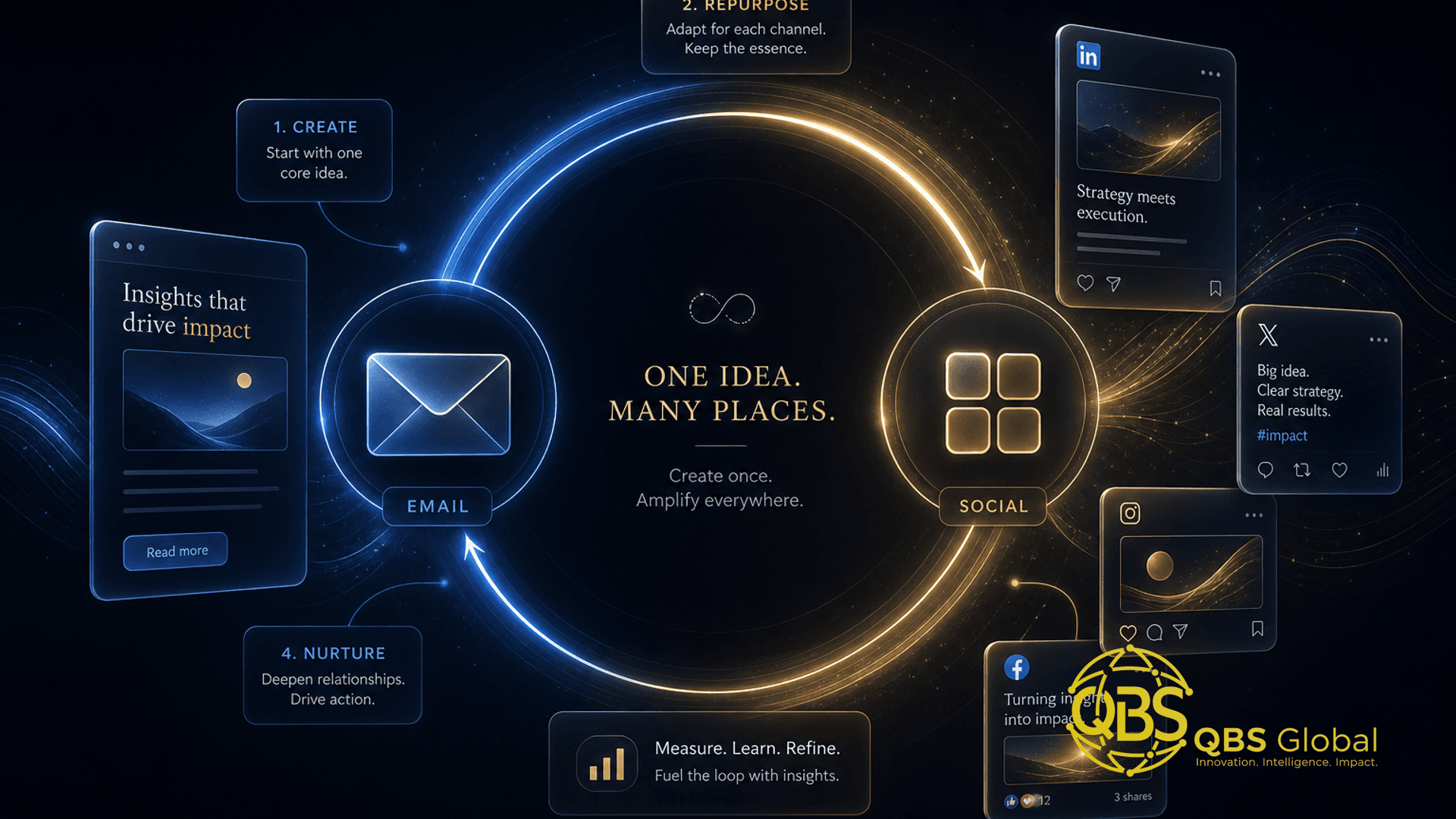
The loop has three moving parts: an anchor, its atoms, and a feedback path.
The anchor is one substantial piece of thinking — a blog post, a recorded sales call, a long client email you already wrote, a webinar, or even a five-minute voice note explaining how you'd answer a common question. It holds a complete argument. You only need one strong anchor per week.
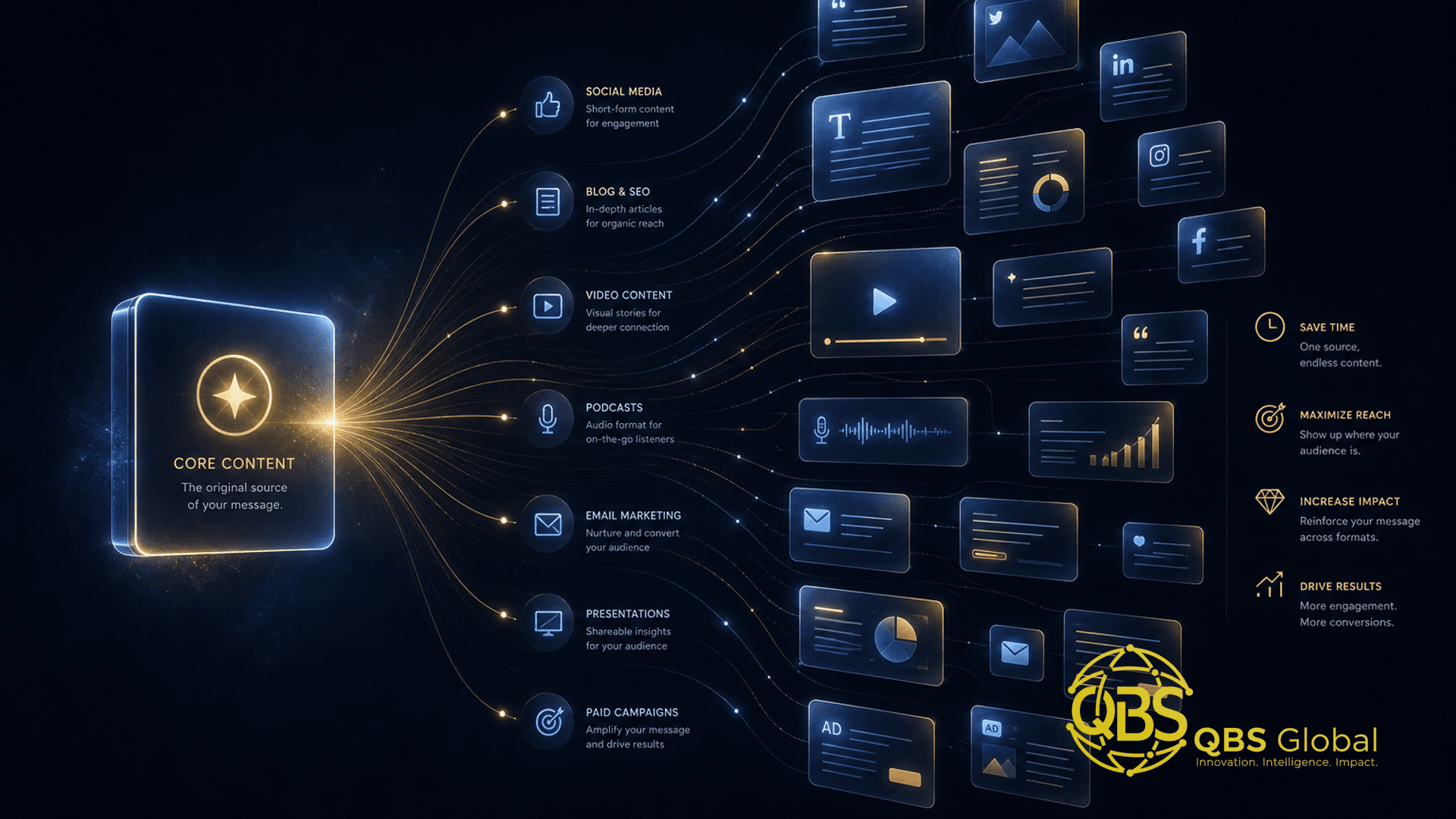
Atoms are the small, single-idea pieces you pull out of the anchor and rewrite to fit each channel: a stat as a hook, a contrarian take as a LinkedIn post, a three-step mini how-to, a question as an engagement post, a quote as a graphic. One good anchor reliably yields a week or two of atoms — this is exactly the mechanics laid out in our content repurposing system for service businesses, and the same engine drives the email-and-social loop.
The feedback path is what makes it a loop and not just a funnel. The atoms that perform — the saved post, the replied-to email, the question that keeps coming up in comments — become the seed of your next anchor. You are not guessing what to write next; your audience is telling you, channel by channel.
You are in good company building this muscle: 94% of marketers already repurpose content, and repurposing is rated the single most effective content tactic by a large share of them. The difference between the ones who get leverage and the ones who don't is whether the repurposing is a documented loop or a panicked scramble on posting day.
| Element | What it is | How many per week | Where the effort goes |
|---|---|---|---|
| Anchor | One complete idea (post, call, webinar, voice note) | 1 | Thinking + angle |
| Atoms | Channel-specific pieces pulled from the anchor | 6–12 | Light rewriting |
| Newsletter | The anchor's clustered, long-form version | 1 | Editing + framing |
| Feedback | Winning atoms become the next anchor | continuous | Reading the signals |
Turn a single post into a newsletter (and back)
A newsletter and a social post are not different content. They are different lengths of the same thinking. Treat them that way and the back-and-forth becomes almost mechanical.
Post to newsletter. Take the three to five posts you ran this week and cluster the related ones. Add a short personal intro — what prompted the idea, what you noticed in the replies — then stitch the posts into sections with connective tissue between them, and close with one clear takeaway or next step. A week of posts that already earned engagement becomes a newsletter you barely had to write, and it lands in the highest-ROI channel you own.
Newsletter to post. Run it the other direction too. Every newsletter contains standalone hooks: a sharp opening line, a single statistic, a one-paragraph argument, a reader question you answered. Each of those is a post on its own. Pull them out, rewrite to fit the platform, and you have seeded next week's social calendar from the email you just sent.
The rewriting is the non-negotiable part. The same words do not work on LinkedIn, in an inbox, and under an Instagram image — 48% of social marketers adapt repurposed content per platform rather than copy-paste it for exactly this reason. Match the format to the channel: punchy and skimmable for social, a touch more context and warmth for email. Same idea, different clothes.
Takeaway: Cluster posts into the newsletter; mine the newsletter for posts. The loop runs both ways, and neither direction is "extra work."
The weekly production workflow
Here is the loop as a repeatable week. The whole thing is roughly two focused blocks, not a daily grind.
- Pick the anchor (15 minutes). Choose one idea worth a week of attention. Best sources: a real question a client or prospect asked, a recorded call, or a strong post from a previous week that deserves a deeper treatment.
- Capture it raw (20–30 minutes). Write the blog post, or just talk it through into a transcription tool. Do not polish — you need the complete argument on the page, not a finished essay.
- Split into atoms (30 minutes). Pull 6–12 single-idea pieces. Tag each with its channel and format: LinkedIn take, X thread, IG carousel, engagement question, email hook.
- Rewrite per channel (45 minutes). Adapt each atom to its platform's voice and length. This is where a draft assistant earns its keep — it gives you starting drafts you edit, not finished posts you publish blind.
- Build the newsletter (30 minutes). Cluster the week's atoms, add the intro and takeaway, link back to the anchor.
- Schedule everything (15 minutes). Queue the social posts across the week and set the email send. The week now runs itself while you do client work.
- Read the signals (15 minutes, end of week). Note what got saved, replied to, clicked. Those become candidate anchors for next week. Loop closed.
This is the same backbone whether you publish daily or twice a week. Consistency is the actual win — and a documented workflow is what survives a busy client week, which is the moment most solo marketing dies. The whole point of building the loop this way is so it can eventually run without you, which is what makes it safe to delegate.
Measuring what the loop actually drives
Most people measure the wrong things here. Follower count and total impressions feel good and tell you almost nothing about whether the loop is producing conversations. Service firms don't get paid for reach; they get paid for replies.
Track a small, honest set of signals across both channels:
| Channel | Vanity metric (ignore) | Signal that matters |
|---|---|---|
| Social | Followers, impressions | Saves, comments, DMs, profile visits |
| List size, opens alone | Reply rate, click-through, replies that start a conversation | |
| Both | Total posts shipped | Which specific ideas pull people toward a call |
The most useful number is not on any dashboard: which ideas turn attention into a conversation. When a post gets a DM that becomes a call, or a newsletter reply that becomes an enquiry, that idea is your gold. Make more anchors like it. This is also why the loop beats isolated channels — you can see an idea travel from a social save to an email click to a booked call, and you cannot see that when the data lives in two separate tools.
Be honest about attribution. With most B2B buyers needing around 8 touchpoints before they convert, no single post closed the deal — the loop did, by showing up usefully across email and social until the buyer was ready. Measure the system's output, not one post's heroics. If your social is meant to generate pipeline rather than just awareness, our guide to LinkedIn lead generation without ads goes deeper on turning these signals into booked calls.
Takeaway: Count saves, replies, and conversations — not followers and impressions. Find the ideas that convert, then make more of them.
Tooling that keeps the loop low-effort
You need four roles filled, not four expensive subscriptions. Keep it lean; the loop is the asset, the tools are interchangeable.
| Role | What it does | Generic examples |
|---|---|---|
| Capture | Turn calls, voice notes, and video into raw text | Any transcription tool, built-in phone dictation |
| Draft assist | First-draft splitting and per-channel rewrites | ChatGPT, Claude, your AI assistant of choice |
| Schedule | Queue social posts across the week | Buffer, Metricool, or any native scheduler |
| Email + automation | Send the newsletter; move drafts between tools | An email platform plus n8n, Make, or Zapier |
The automation layer is where the loop stops feeling like work. A simple flow — new transcript lands, AI produces draft atoms, drafts drop into a review queue — removes the mechanical steps without removing your judgement. The rule that keeps you out of trouble: automate the moving, keep the thinking human. Transcription, splitting, resizing, and scheduling are safe to automate. The angle, the final edit, and any reply that speaks for your brand stay with a person. Auto-publishing raw AI-generated drafts under your own name is how brands embarrass themselves.
None of this requires a custom build to start. Off-the-shelf tools wired together with one automation platform cover the entire loop for a small firm. The reason to graduate to something custom is volume — when you're running the loop for several brands or several languages and the copy-paste between tools becomes its own job.
When to outsource the loop end to end
Building the loop and running the loop are different problems. Most founders can build it. Almost none can keep running it through a heavy client month — and the month you go quiet is the month the compounding stops.
Outsource the whole loop when these are all true:
- The loop is documented — anchor sources, atom splits, channel formats, send schedule all written down.
- It has worked — you've seen ideas travel from post to email to conversation.
- It keeps slipping — posts and the newsletter have gone quiet for a month or more because you're heads-down on delivery.
That combination means the system is sound and the only missing piece is a dedicated owner. That is a staffing problem, not a strategy problem, and it is precisely what a delivery team is for. The handoff is clean because the loop is already a documented process: you're delegating execution, not asking someone to invent your voice. A good team runs the weekly workflow, drafts in your voice for your approval, and reports back on the signals that matter — saves, replies, conversations.
This is the difference between hiring "a social media person" to post randomly and handing a proven, documented loop to a team that runs it as a system. If you're weighing that step, our breakdown of how to outsource social media to an offshore team covers what to hand over and what to keep. And if you operate in a specific niche, the principles map directly — see, for example, social media for accounting firms and what to post for how the same anchor-and-atom logic plays out in one vertical.
Takeaway: Outsource when the loop is documented, proven, and slipping. You're handing over execution of a known system, not your judgement.
If you've got the loop half-built and it keeps stalling under client work, that's the normal failure point — and the fixable one. Book a free 30-minute call with QBS Global and we'll map your anchors, your channels, and where to automate versus where to keep a human, then send you a tailored roadmap within 48 hours.
Frequently asked questions
Why should you run email and social media marketing together instead of separately?+
Because they share the same raw material: one idea, one argument, one customer question. Running them on separate calendars means you write everything twice, which is the single biggest reason solo operators fall behind. A shared loop lets one piece of thinking feed a newsletter and a week of posts, so the real cost is the idea, not the output.
What is a content repurposing loop?+
It is a repeatable workflow where one anchor idea is split into many channel-specific outputs, and the best-performing outputs feed the next anchor. A post that lands on LinkedIn becomes a newsletter section; a question from a reply becomes next week's anchor. Nothing is created once and abandoned, and your channels stop competing for your attention.
Can you turn a single social post into a newsletter and back again?+
Yes, and you should. Cluster three to five related posts into one newsletter with a short intro and a clear takeaway, and pull standalone hooks, stats, or questions out of your newsletter to seed individual posts. The two formats are different lengths of the same thinking, not different content.
How do you measure whether the email and social loop is working?+
Track a small set of signals, not vanity totals: replies and saves on social, reply and click-through on email, and which specific ideas pull people toward a call or enquiry. The point of the loop is to find which ideas convert attention into conversations, then make more of those.
What tools keep an email and social content loop low-effort?+
A scheduler for social, an email platform with simple automation, a transcription tool to turn calls and voice notes into raw text, and an automation layer like n8n, Make, or Zapier to move drafts between them. The tools should remove mechanical steps; the judgement, voice, and final edit stay human.
When should a service firm outsource the whole loop?+
Outsource end to end once the loop is documented and proven but you have stopped running it consistently for a month or more. If posts and the newsletter keep slipping because you are doing client work, the loop is not failing as a system, it is failing for lack of a dedicated owner, and that is exactly what a delivery team is for.