When to Replace a Spreadsheet With a Custom Internal Tool (7 Signs You've Outgrown Excel)
Clear signs you've outgrown spreadsheets and need custom software — a 7-sign checklist, build vs buy vs SaaS, real costs, and how to scope it right.
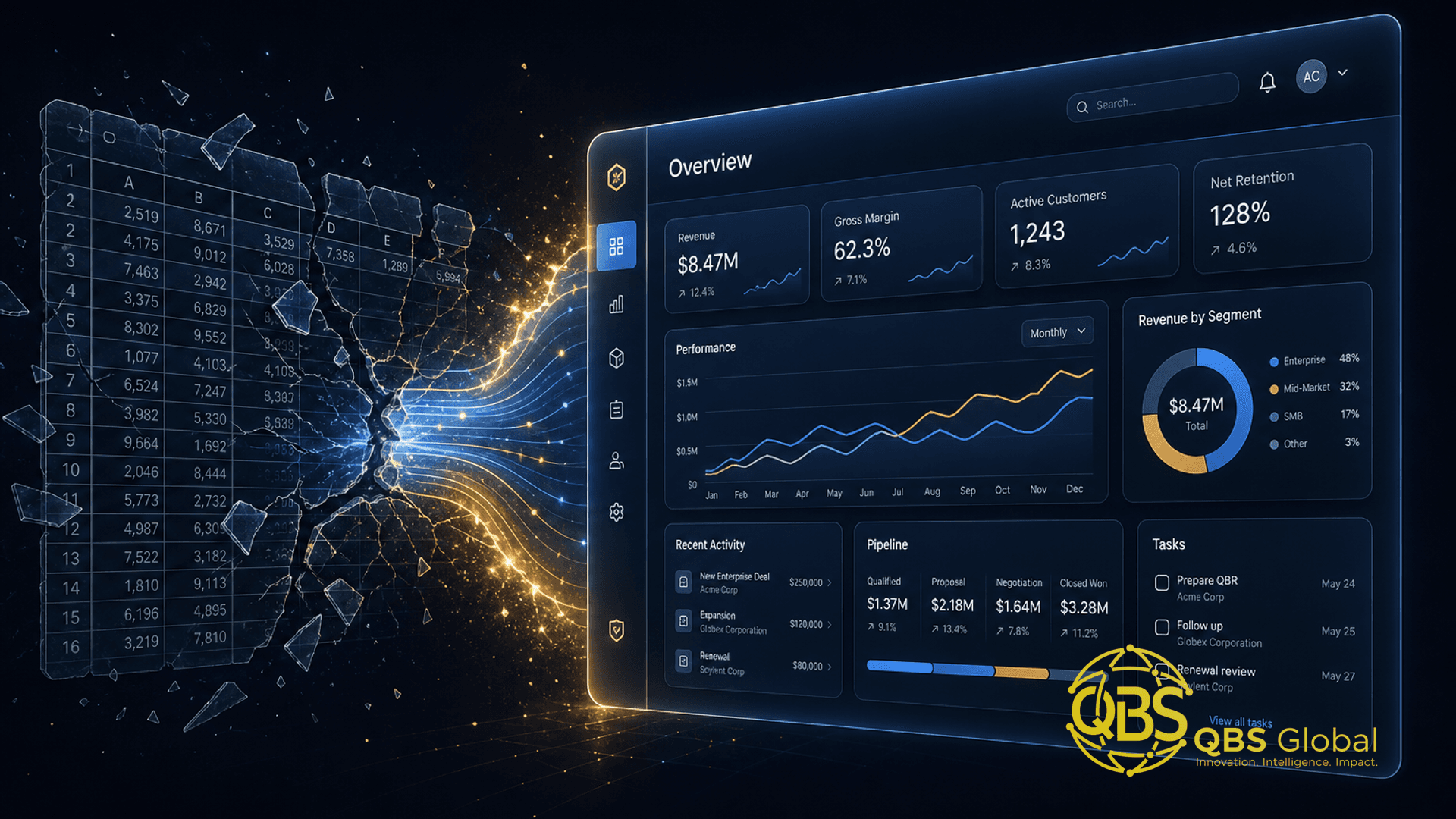
You know the file. It is the one with eight tabs, a column nobody remembers the purpose of, and a name like master_FINAL_v3_USE_THIS_ONE.xlsx. It runs a real part of your business — onboarding, inventory, your pipeline, project tracking — and every week it gets a little more fragile. You are not imagining the pain. You have outgrown the tool, and you are quietly wondering whether it is time to commission something built for the job.
This is an operator's guide to that decision. We will walk the seven concrete signs you have outgrown a spreadsheet, then frame the harder question that follows: spreadsheet versus custom build versus off-the-shelf SaaS, what a right-sized internal tool actually costs, and how to scope the replacement without over-building it. We build custom software for a living, so treat this as a costing-and-scoping model — not a pitch to rip out every spreadsheet you own. Some are fine. This is about knowing which ones are not.
The hidden cost of running your business on a spreadsheet
Spreadsheets are not the problem. They are the best prototyping tool ever made — fast, free, and flexible enough to model almost any process in an afternoon. The problem is that the prototype quietly becomes production. The afternoon hack that tracked five clients now tracks five hundred, feeds your invoicing, and three people edit it at once.
That is more common than you would think. In one 2024 survey of 500 senior finance managers in the US and UK, spreadsheets were still integral to financial operations at 90 percent of organizations. Reliance is not the issue. Relying on them past their limit is.
And the limit is real. A 2024 study led by Prof. Pak-Lok Poon found that 94 percent of business spreadsheets used in decision-making contain errors — some trivial, some catastrophic. The hidden cost is not the file; it is the wrong decisions made on top of it and the trust that erodes every time the numbers do not match.
The honest test is simple: if this spreadsheet broke or vanished tonight, how much of your business breaks with it? If the answer makes you wince, you are running production on a prototype. Here are the seven signs that confirm it.
Signs 1–3: version chaos, broken formulas, no audit trail
The first three signs are the ones that quietly cost you money before you ever notice them.
Sign 1 — Version chaos. There is no single source of truth. Someone emailed a copy, edited it, and now two versions disagree. You spend Monday morning figuring out which file is current instead of using it. The _FINAL_v3 filename is the symptom; the disease is that the data lives in copies, not in one system everyone trusts.
Sign 2 — Broken or fragile formulas. A dragged formula skips a row. A VLOOKUP silently returns the wrong match. Someone pastes values over a calculated column and the logic is gone for good. Nobody notices until a number is obviously wrong — and you have no idea how long it has been wrong. Because formula logic is invisible until you click each cell, errors hide in plain sight. That is exactly why the 94 percent figure is so high: the mistakes are not obvious, they are buried.
Sign 3 — No audit trail. This is the one that should worry you most. A spreadsheet cannot reliably tell you who changed what and when. When a number is wrong, you cannot trace it back to a person, a time, or a reason. For anything touching money, client commitments, compliance, or contracts, that is not a minor gap — it is a liability. A custom tool logs every change by default; a spreadsheet, by design, forgets.
If you have all three of these, the spreadsheet is no longer a tool you control. It is a risk you are tolerating.
Signs 4–5: manual re-keying and copy-paste between tools
The middle two signs are about wasted human time — the most expensive thing in any small business.
Sign 4 — Manual re-keying. Data is typed into the spreadsheet from another system — a form, an email, an invoice, your CRM — by hand. Then it is typed out again into a third place. Every keystroke is a chance to fat-finger a number, and every hour spent re-keying is an hour not spent on the actual work. This is the tax that nobody puts on the books but everybody pays.
Sign 5 — Copy-paste glue between tools. Your spreadsheet is the duct tape holding three apps together. You export from one tool, paste into the sheet, reformat, then paste into the next. The sheet is not a system of record; it is a manual integration layer that a human runs by hand every week.
The cost here is brutal and measurable. Smartsheet's research found that over 40 percent of workers spend at least a quarter of their work week on manual, repetitive tasks — with data entry near the top of the list. Put a number on it: if someone on $60,000 a year spends a quarter of their week re-keying data between tools, that is roughly $15,000 of salary a year spent doing what software does for free.
Before you commission anything, ask whether signs 4 and 5 even need custom software. Often they do not. A no-code automation layer like Zapier, Make, or n8n can wire two tools together and kill the copy-paste without building a thing. Our checklist for which business processes to automate first walks through that triage — automate the glue cheaply before you decide to replace the whole spreadsheet.
Signs 6–7: access control breaks down, the file won't scale with the team
The last two signs appear when the team — not the data — grows past what a file can hold.
Sign 6 — Access control breaks down. Everyone who can open the file can change any cell in it. There is no "this person sees only their own clients," no "approvers can sign off but not edit the numbers," no read-only view. Sheet-level passwords and hidden tabs are not real permissions — they are speed bumps. The moment sensitive data (salaries, client lists, pricing, personal information) lives in a shared file, lack of granular access stops being an inconvenience and becomes a genuine security and privacy exposure.
Sign 7 — It won't scale with the team. Two people edit it and it conflicts. The file hits tens of thousands of rows and crawls, freezes, or corrupts. New hires need a 20-minute "here's how our spreadsheet actually works" briefing because the logic lives in one person's head. A spreadsheet is built for one analyst, not a growing team running a shared process. When the bottleneck is the number of people who must touch it at once, you have hit a structural ceiling that no formula fixes.
The pattern across all seven: spreadsheets fail at exactly the things real software is built for — a single source of truth, enforced rules, change history, validation, permissions, and concurrent use. If three or more signs describe your file, you are not misusing the spreadsheet. You have simply outgrown it.
Spreadsheet vs custom tool vs off-the-shelf SaaS: how to choose
Outgrowing a spreadsheet does not automatically mean "build custom software." That is the expensive mistake. There are three options, and the right one depends entirely on your process.
| Factor | Keep the spreadsheet | Buy off-the-shelf SaaS | Build a custom tool |
|---|---|---|---|
| Best when | Process is simple, 1–2 users, low stakes, rarely changes | A standard tool fits ~80% of your workflow | Your workflow is unusual or a real competitive edge |
| Upfront cost | ~$0 | Low (subscription) | Higher (one-time build) |
| Ongoing cost | Hidden (wasted hours, errors) | Per-seat fees that grow with headcount | Hosting + maintenance (~15–25% of build/yr) |
| Time to value | Instant | Days to weeks | Weeks to months |
| Fits your exact process | Yes, but fragile | Mostly — you adapt to it | Exactly — it adapts to you |
| Scales with team | Poorly | Well | Well |
| You own it | N/A | No (vendor lock-in) | Yes |
The decision rule we give clients is blunt:
1. Default to off-the-shelf SaaS. If a category-standard tool (a CRM, a project tool, an inventory app, an HR system) covers about 80 percent of what your spreadsheet does, buy it. It is faster, cheaper to start, and someone else maintains it. Do not build what you can buy.
2. Build custom only when one of three things is true:
- No tool fits without painful workarounds. You have trialed the SaaS options and each forces you to bend your process into shapes that do not match how you work.
- The workflow is your edge. The way you run this process is part of why clients choose you, and bending it to fit generic software dulls that advantage.
- The SaaS math flips. Per-seat fees across a large team, over two to three years, quietly exceed the cost of owning a tool built once — the same break-even logic in our cost-to-build-a-custom-CRM guide.
3. Consider a hybrid. Often the smartest answer is "buy the SaaS and build a thin custom layer or automation" connecting it to the rest of your stack. You do not have to replace everything to escape the spreadsheet.
If you are weighing AI agents or automation rather than a traditional app, our breakdown of build vs buy for AI agents in service firms applies the same logic to that decision.
What a right-sized internal tool actually costs to build
Here is where most articles go vague. We will not. These are realistic bands for a single-workflow internal tool — the thing that replaces one painful spreadsheet, not an enterprise platform.
| Scope | What you get | Rough cost band |
|---|---|---|
| Lean single-workflow tool | One process, basic roles, simple forms + a clean data table, validation on entry | ~$8,000 – $18,000 |
| Standard internal tool | Multiple roles and permissions, a couple of integrations, reporting/dashboard views, change history | ~$18,000 – $40,000 |
| Multi-workflow platform | Several connected workflows, deeper integrations, automation, more user types | ~$40,000+ |
A few honest caveats. These are practitioner estimates, not a published index — actual quotes swing with complexity, integrations, and who builds it. The single biggest lever is the team's hourly rate: US developers commonly run well over $100 an hour, while vetted South Asian teams (including ours, based in Pakistan) deliver the same scope at a fraction of that. The same build can cost two to three times more depending only on geography. If you are weighing in-house versus an external partner, our take on whether to outsource software development lays out the trade-offs.
Do not forget the line item everyone forgets: maintenance. Budget roughly 15–25 percent of the build cost per year to keep the tool hosted, patched, and updated. A $20,000 tool is not a $20,000 decision — it is roughly $20,000 plus $3,000–$5,000 a year. Factor that in before you compare it against a SaaS subscription, or you will compare apples to oranges.
The comparison that matters is not "build cost versus $0." It is build-plus-maintenance versus the recurring cost of the spreadsheet: the wasted hours, the error correction, the bad decisions, and the SaaS seats you would otherwise pay forever. When a quarter of someone's week is going to manual tasks, that recurring drain is usually bigger than the one-time build — which is the whole reason this decision is worth making deliberately.
How to scope the replacement without over-engineering it
Custom software projects rarely fail on bad code. They fail on bad scope. Teams try to fix every spreadsheet sin at once, the project balloons, and a six-week tool becomes a six-month saga. Here is how to stop that.
1. Replace one workflow, not the whole spreadsheet. Your file probably does five things. Find the one that hurts most and carries the most risk — usually they overlap — and replace only that. A narrow tool that nails one workflow beats a broad tool that half-does five.
2. Copy what already works before you change anything. Your spreadsheet is, accidentally, a detailed spec: the columns are your fields, the tabs are your states, the manual steps are your workflow. Rebuild that faithfully first. The instinct to "improve everything while we're in here" is what blows up scope. Match the spreadsheet, ship it, then improve from real usage.
3. Add the things a spreadsheet could never do — and stop there. The whole point is validation on entry (so bad data never gets in), enforced permissions, an audit trail, and safe concurrent use. Those are the wins, and they are enough for version one. Resist dashboards, AI features, and extra integrations until the core tool is live and people are using it.
4. Ship a thin first version and let reality guide the rest. The fastest way to over-build is to design the whole thing up front from imagination. Ship the smallest tool that replaces the spreadsheet, watch how people actually use it for a few weeks, then build the second slice from evidence instead of guesses. Automating the surrounding glue — the copy-paste from signs 4 and 5 — usually delivers the fastest return for the least money.
The discipline in one line: migrate the pain, not the wishlist. Move the one workflow that is breaking, copy what works, add only the guardrails a spreadsheet lacks, and ship. You can always build more. You can rarely un-build a bloated tool.
If two or more of the seven signs describe a file your business actually runs on, it is worth an honest hour mapping the one workflow that hurts most and pricing what it would take to replace just that. If you would like a second opinion before you spend anything, book a free 30-minute call with QBS Global — we will help you decide whether to automate the glue, buy a SaaS tool, or build, and send you a tailored roadmap within 48 hours. No pitch, just the honest math.
Frequently asked questions
What are the signs you've outgrown spreadsheets and need custom software?+
The clearest signs are version chaos across copies, broken or hidden formulas, no audit trail of who changed what, manual re-keying between tools, access control you cannot enforce, and a file that slows or corrupts as the team grows. When two or more of these cause real business pain, it is time to replace the spreadsheet.
Should I build custom software or just buy a SaaS tool instead of a spreadsheet?+
Buy off-the-shelf SaaS first if a standard tool fits 80 percent of your process, because it is faster and cheaper. Build custom only when your workflow is a genuine competitive edge, no tool fits without painful workarounds, or per-seat SaaS fees across many users exceed the cost of owning your own tool over two to three years.
How much does a custom internal tool cost to build?+
A right-sized internal tool that replaces one spreadsheet workflow typically runs $8,000 to $40,000 depending on scope, with a lean single-workflow build at the lower end and multi-role tools with integrations at the higher end. Offshore teams reduce this substantially versus US hourly rates.
Why are spreadsheets risky for critical business processes?+
Research found that 94 percent of business spreadsheets used in decision-making contain errors, and a single broken formula or stale copy can silently corrupt the numbers you rely on. Spreadsheets also lack audit trails, enforced permissions, and validation, so mistakes are hard to catch and trace.
How do I scope a custom tool without over-engineering it?+
Map the one workflow that hurts most, replace only that, and copy your spreadsheet's exact fields and steps before adding anything new. Ship a thin first version, validate data on entry, and resist adding roles, dashboards, or integrations until real usage proves they are needed.
Is it cheaper to keep using a spreadsheet than to build software?+
Only on paper. Spreadsheets carry hidden costs in wasted hours re-keying data, error correction, and broken decisions. Knowledge workers lose roughly a quarter of the work week to manual repetitive tasks, so the real question is whether that recurring drain costs more than a one-time build.