AI Workflow Automation for Service Operations: An n8n Starter Playbook
A vendor-neutral guide to AI workflow automation for service business operations: map a workflow, build it in n8n, add AI triage, and govern it.
If you spend any time in operator circles in 2026, you have noticed the same phrase surfacing in every "how I run my agency" thread: AI workflow automation. The search interest behind it — and behind the tool most people now reach for, n8n — has gone vertical. n8n raised a $180 million Series C at a $2.5 billion valuation in October 2025, and in that year alone it added more than 112,000 GitHub stars to become the number one JavaScript "rising star" — more interest in twelve months than most open-source projects earn in their lifetime. The agentic wave needs a backbone to actually do things, and workflow automation is it.
The hype is loud. This guide is the quieter, more useful version: a vendor-neutral, operator-level playbook for applying AI workflow automation to service business operations — the unglamorous coordination work that eats your team's week. We will map a workflow, build a first automation, add AI where it earns its place, keep humans in the loop, and govern it so it does not quietly break. Founder to founder, no affiliate tutorial.
The 6 coordination tasks that eat a service team's week
Service businesses do not usually lose time to the delivery work — the design, the code, the campaign, the placement. They lose it to the coordination around that work. The handoffs. The status chasing. The "did anyone reply to the new lead?" moments.
Across knowledge workers, more than 40% of people report spending at least a quarter of their week on manual, repetitive tasks, with email and data entry topping the list. For a service team, that repetitive load almost always clusters into six recurring jobs:
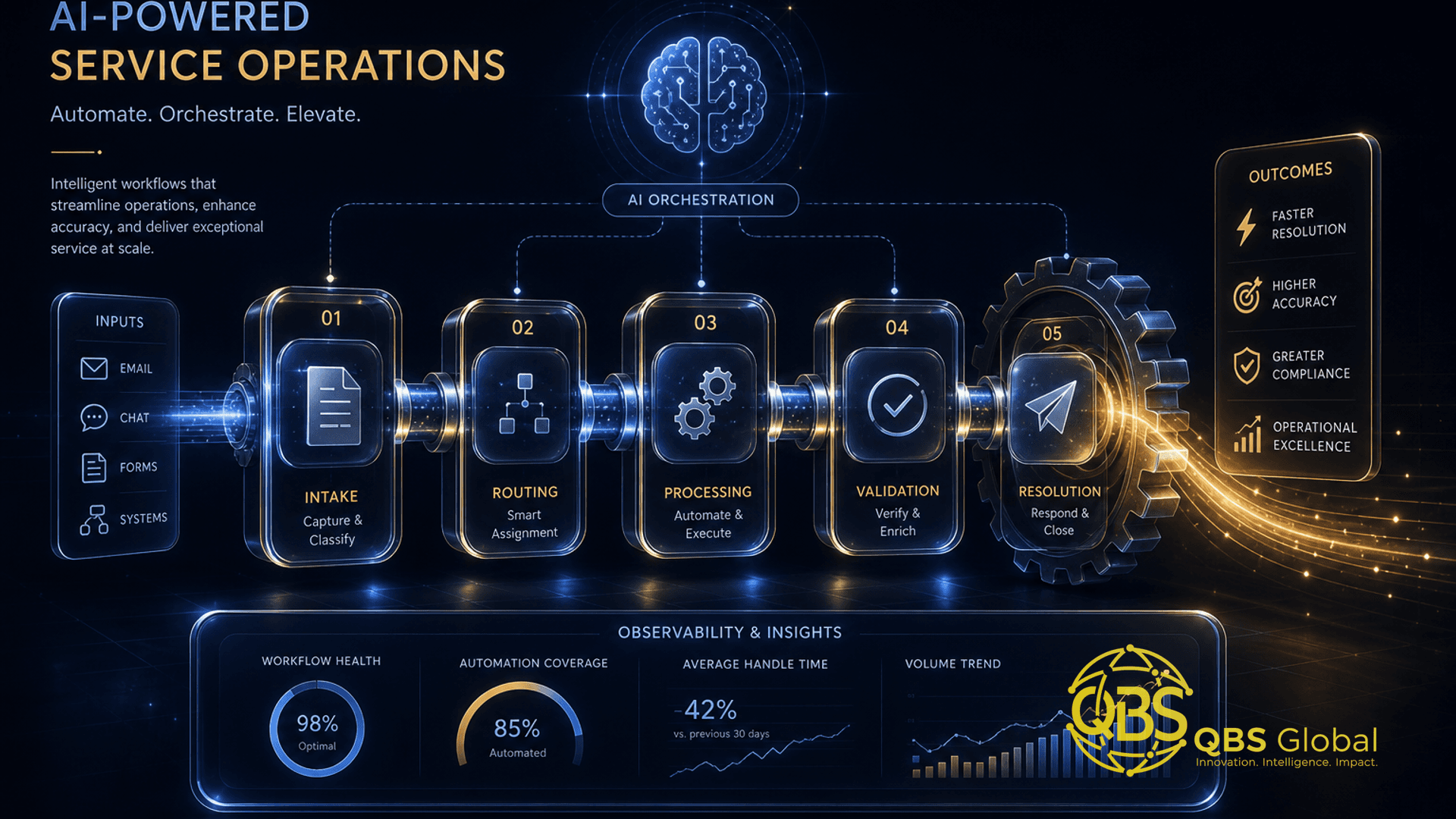
- Intake — capturing a new lead, request, or ticket from a form, inbox, or DM and getting it into one system.
- Triage — reading the messy inbound, deciding what it is, how urgent it is, and which service line owns it.
- Assignment — routing the work to the right person or pod, with the right context attached.
- Notification — telling the right people something happened, without spamming the whole team.
- Status updates — keeping clients and internal stakeholders informed without a human re-typing the same update.
- Reporting — pulling the week's numbers into something a founder or client can actually read.
The takeaway: none of these six is your product. Every one of them is a tax on your product. They are also the exact shape of work that automation — plus a thin layer of AI for the reading-and-judging parts — handles well. That overlap is why operations is the highest-ROI place to start, and it is the same logic behind the broader move toward AI automation for service businesses.
Mapping a workflow before you automate it
The single most expensive mistake operators make is opening n8n and starting to drag nodes. You end up automating a broken process faster. Map first, build second.
A map does not need a fancy tool — a whiteboard or a doc is fine. For one workflow, write down four things:
| Element | Question to answer | Example (new lead intake) |
|---|---|---|
| Trigger | What event starts this? | A contact form is submitted |
| Steps | What happens, in order, today? | Capture → check region → assign owner → notify owner → log to CRM |
| Decisions | Where does a human currently judge? | Is this a real lead or spam? Which service line? |
| Outputs | What must exist when it is done? | A CRM record, an owner assigned, a Slack ping, an auto-acknowledgement to the client |
Two rules make the map honest. First, map the process as it actually runs, not the idealised version — including the part where Sara checks the inbox twice a day and sometimes forgets. Second, circle every "decision" box. Those circles are your candidates for an AI step later; everything else is a plain rule.
The takeaway: a workflow you can draw in four boxes is a workflow you can automate safely. If you cannot draw it, you do not understand it well enough to hand it to a machine yet. This same discipline is what separates a smooth client onboarding automation for a service business from a brittle one.
Building your first ops automation in n8n (intake → assign → notify)
Start with the lowest-risk, highest-frequency workflow you mapped. For most service firms that is lead or request intake, because it happens constantly and a dropped one costs real money.
Here is the skeleton of a first n8n build, no AI yet — just deterministic wiring:
- Trigger node — a Webhook (for a form) or an email/Gmail trigger watching a shared inbox.
- Set / Edit Fields node — normalise the incoming data into clean fields: name, email, company, message, region.
- Switch node — a plain rule: if region is in the EU list, route one way; Americas another; rest-of-world a third. No AI needed for deterministic logic like this.
- CRM / database node — create the record so nothing lives only in an inbox.
- Notification node — post to the right Slack channel or send an email to the assigned owner, with the context attached.
- Auto-acknowledgement node — send the client a short "we've got it, you'll hear back within X hours" reply so the clock visibly starts.
n8n is a strong default here because it is open-source, can be self-hosted for data control, and bills per workflow execution rather than per task — which gets cheaper than per-step tools as your volume grows. But the pattern is tool-agnostic; Zapier or Make will run the same shape. If you want the deeper build walkthrough and where the no-code ceiling sits, we cover that in n8n automation for business without a developer.
The takeaway: your first automation should be boring and deterministic. Prove the wiring works end to end — trigger to acknowledgement — before you let any AI near it. A boring workflow that never drops a lead is worth more than a clever one you do not trust.
Adding an AI step for triage and summaries
Now go back to the boxes you circled — the decisions. This is where AI earns its keep, and nowhere else.
n8n (and every comparable tool) now ships native AI / LLM nodes, so you drop a model step into the canvas and configure it with a plain-English prompt. The highest-value AI insertions for service ops are:
- Triage / classification. Feed the inbound message to the model and ask it to return a structured label: service line, urgency, and whether it looks like spam or a real opportunity. The Switch node then routes on the model's answer instead of a human reading every message.
- Summarisation. Turn a 600-word rambling inbound — or a 30-message email thread — into a three-line brief the owner reads in five seconds.
- Drafting. Generate a first-pass reply or a structured internal note. First-pass, never auto-sent — more on that next.
- Field extraction. Pull budget, timeline, or company size out of unstructured text into clean fields.
The wider context for why this is suddenly everywhere: the workflow automation market sat around $23.77 billion in 2025, and the surge in AI nodes is what turned a developer-ops category into something operators talk about. And it works because the perceived payoff is real — in one large survey, 92% of workers said workflow automation increased their productivity.
Two discipline rules for AI steps:
- Ask for structured output. Have the model return clean labels or JSON-style fields, not a paragraph, so the next node can act on it reliably.
- Constrain it. A tight prompt that says "classify into exactly these five categories" fails far less often than "figure out what to do with this."
The takeaway: AI is the reading-and-judging layer, not the whole workflow. Use plain rules for everything deterministic and reserve the model for genuine ambiguity — that keeps your costs low and your reliability high.
Handoffs, approvals and human-in-the-loop checkpoints
Here is the line that separates a tool that helps from a tool that embarrasses you in front of a client: AI proposes, a human disposes — for anything that leaves the building.
Automating internal routing end to end is fine; nobody minds if a Slack ping was machine-decided. But the moment a workflow is about to send something to a client — a reply, a quote, a status update — there should be a checkpoint. n8n supports this directly with a Wait node or a manual-approval pattern: the workflow pauses, drops the AI-drafted message into a channel or email for a human to approve, edit, or reject, and only continues on the green light.
Design your checkpoints by risk:
| Action | Risk | Checkpoint |
|---|---|---|
| Route lead to a pod internally | Low | None — fully automated |
| Tag and summarise a ticket | Low | None — fully automated |
| Draft a client reply | Medium | Human approves before send |
| Send a quote or proposal | High | Human reviews and sends manually |
| Anything touching billing or contracts | High | Human-only; automation just prepares |
The goal is not to put a human in front of everything — that defeats the purpose. It is to place the checkpoints exactly where a wrong move costs you trust or money, and to automate freely everywhere else. A good rule: if a mistake would be visible to a client or irreversible, it gets a human gate.
The takeaway: human-in-the-loop is not a failure of automation — it is what makes automation safe to deploy on real client work. The teams that scale this well automate 90% of the steps and gate the 10% that matter.
Governance: who owns and audits the workflows
A workflow with no owner is a time bomb. It runs fine for three months, an API key rotates or a form field gets renamed, and it fails silently — you find out from an annoyed client, not an alert. This is the most common way DIY automation goes wrong, and it is entirely preventable.
Three governance basics keep a growing set of workflows healthy:
- One named owner per workflow. Usually an operations lead. They own what it does, where it breaks, and who gets pinged when it does. "The automation" is never the owner.
- A workflow register. A simple table — even a spreadsheet — listing every live workflow, its trigger, which steps use AI, what it touches (CRM, inbox, billing), and the date it was last reviewed. When something breaks, you know what to look at.
- Failure alerting and logging. Every workflow needs an error path that pings a human when a run fails, plus a log of what ran. This is the single biggest thing that separates a hobby automation from a production one.
A lightweight register looks like this:
| Workflow | Trigger | AI step? | Owner | Last reviewed |
|---|---|---|---|---|
| Lead intake | Form submit | Triage classify | Ops lead | 2026-06 |
| Ticket summary | New email | Summarise | Support lead | 2026-06 |
| Weekly client report | Schedule | Draft narrative | Account lead | 2026-05 |
Review the register monthly. Ask three questions per workflow: is it still running, does it still match how we actually work, and is the AI step still behaving? Drift, not catastrophic failure, is what quietly degrades automated operations over time.
The takeaway: automation is infrastructure, and infrastructure needs an owner and an audit trail. Skip governance and you trade visible manual work for invisible silent failure — which is the worse of the two.
When to bring in a partner to build and maintain them
DIY automation is perfect for proving value. You should absolutely build your first few workflows yourself — it teaches you what is possible and what your process actually is. The honest question is when the build stops being a weekend project and starts being something your business depends on.
Bring in a partner when:
- The workflow touches revenue or compliance — billing, contracts, regulated data. A silent failure here is expensive.
- It needs robust error handling, retries, monitoring, and secure self-hosting — production engineering, not happy-path wiring.
- It runs at volume, where small reliability gaps compound into real losses.
- You are spending more hours maintaining the workflow than it saves — the classic signal that you have outgrown DIY.
- You want a library of workflows that interlock — intake feeding triage feeding reporting — which needs someone thinking about the system, not just the node.
A good build partner does three things a DIY effort usually skips: they design workflows to fail safely (alerts, fallbacks, retries), they document and hand over so you are not hostage to one person's head, and they maintain the workflows as your tools and process change. That maintenance piece is what most automation projects underestimate — the build is a week, the upkeep is forever.
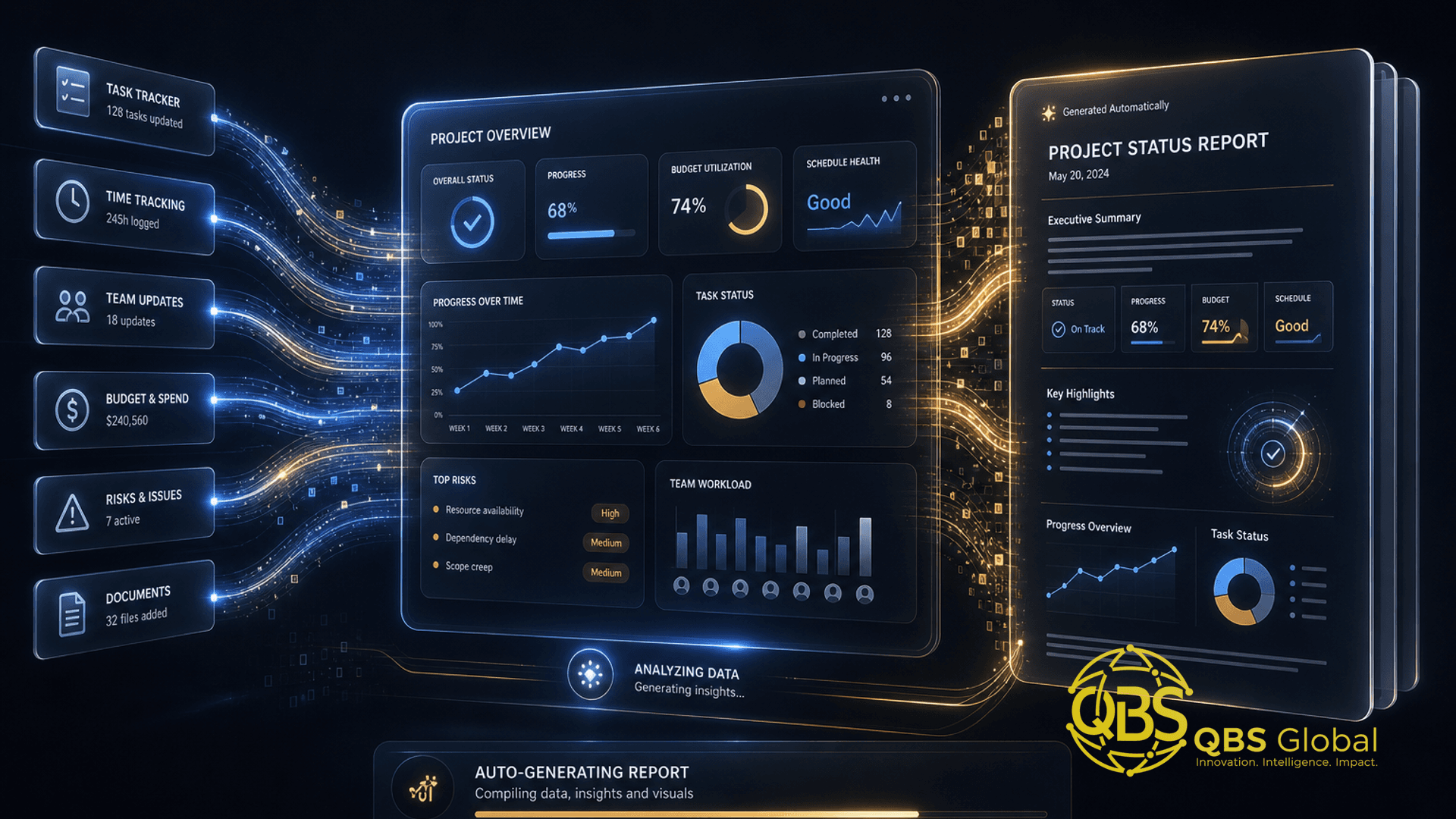
This is squarely the software and AI automation service line: we automate the busywork so your team gets its week back. A natural next workflow once intake is solid is reporting — turning scattered project data into a client-ready update automatically, which is exactly what an AI project status report generator for agencies is built to do.
The takeaway: build it yourself to learn, bring in a partner to depend on it. The crossover point is the moment a workflow's failure would cost you a client, money, or a compliance headache.
If you have mapped a couple of workflows and can feel where your team's week is leaking, the fastest way to a tailored plan is a short conversation. Book a free 30-minute call with QBS Global and we will sketch an operations-automation roadmap for your service business — which workflow to automate first, where AI belongs, and where it does not — and get it back to you within 48 hours.
Frequently asked questions
What is AI workflow automation for service business operations?+
It is using automation tools like n8n to chain together the coordination tasks that run a service business — intake, assignment, notifications, status updates, reporting — and inserting AI steps for the judgement parts, such as triaging a request, summarising a long email, or drafting a reply. The automation handles the wiring; the AI handles the reading and writing a rigid rule cannot.
Is n8n the best tool for automating service operations?+
n8n is a strong default for operators because it is open-source, can be self-hosted for data control, bills per workflow run rather than per task, and has native AI nodes. It is not the only option — Zapier is simpler to start with and Make sits in between. The right tool depends on your volume, data-sensitivity, and how much custom logic each workflow needs. The framework in this article applies to any of them.
Do I need a developer to automate my operations?+
Not for your first workflows. A non-technical operator can build intake routing, notifications, and reporting on a visual canvas. You hit a ceiling when a workflow touches revenue or compliance, needs robust error handling and monitoring, or runs at high volume — that is when a developer who builds it to fail safely earns their keep.
How much of a service team's week can automation realistically save?+
Research on knowledge workers consistently finds a large share of the week lost to manual, repetitive tasks, and most workers report automation improves their productivity. A realistic target for a first wave of operations automation is to remove several hours per person per week of copy-paste coordination — not to replace anyone, but to give the team back time for the work clients actually pay for.
Where should AI sit in an automated workflow versus plain rules?+
Use plain rules for anything deterministic — if region equals EU, assign to the EU pod. Use AI only where you need to read unstructured text and make a judgement: classifying a messy inbound request, summarising a thread, drafting a first-pass reply, or extracting fields from a form. Keep AI on a short leash with a human checkpoint before anything client-facing goes out.
Who should own and audit the automated workflows?+
Every workflow needs one named owner — usually an operations lead — responsible for what it does, where it fails, and who gets alerted. Pair that with a simple register listing each workflow, its trigger, its AI steps, and its last review date. Automation without an owner becomes invisible infrastructure that breaks silently, which is worse than the manual process it replaced.